

Reflection & Acknowledgment
Teacher Self-Reflection
Teachers can write a self-reflection as part of the post-observation workflow, so the follow-up conversation starts with the teacher’s own read on the lesson. The teacher answers the reflection prompts once the observer submits the observation.
What teachers see
Section titled “What teachers see”After the observer submits, the observation’s state summary reads Reflection requested. The response form sits in the right-hand column of the observation page:
- The heading is Your reflection, or Step 1 of 2: Your reflection when an acknowledgment comes next.
- The Form Set’s prompts are listed under Consider.
- The teacher writes in a rich-text box (bold, lists, and other formatting) with the placeholder Share your reflection on this observation.
- The teacher clicks Submit reflection.
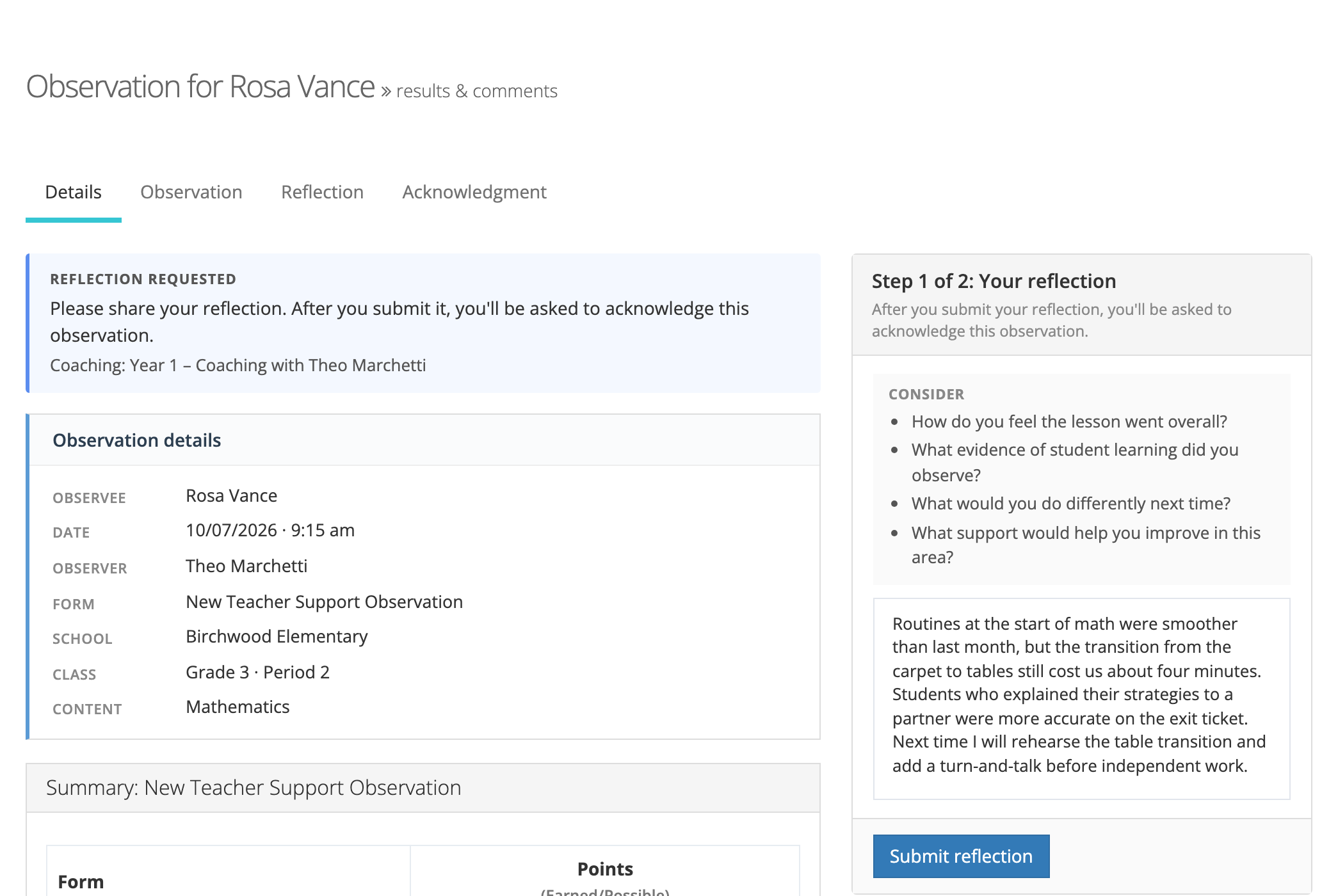
A submitted reflection cannot be edited. When the Form Set also requires acknowledgment, the teacher must submit the reflection before they can acknowledge.
Teachers can reflect from inside the platform or from the secure email link.
Customizing the prompts
Section titled “Customizing the prompts”The prompts are set per Form Set, so a district can match them to its teaching framework. In the Form Set’s edit window, the Reflection prompts box appears under Reflection? when reflection is on:
- Enter one prompt per line, up to 10 prompts of up to 500 characters each.
- Reset to defaults puts the default prompts back. Leaving the box blank also uses the defaults.
The default prompts are:
- How do you feel the lesson went overall?
- What evidence of student learning did you observe?
- What would you do differently next time?
- What support would help you improve in this area?
Prompt changes apply as soon as you save, including to observations already waiting for a reflection.
Editing a Form Set takes the Publisher role or your account team. System administrators can open the Form Set page and read its prompts.
Turning it on
Section titled “Turning it on”Self-reflection is off by default. Turn it on by checking Reflection? in the Form Set’s edit window. The requirement is copied onto each observation when the observation is created, so it applies only to observations created after it is turned on. Existing observations are unaffected.
When an observation is reopened
Section titled “When an observation is reopened”Reopening an observation clears the teacher’s reflection. If the Form Set required reflection when the observation was created, the teacher reflects again after the observer resubmits.