

Reflection & Acknowledgment
Overview
weCLIMB includes a post-observation workflow for teachers. After the observer submits an observation, the teacher can write a self-reflection, acknowledge that they have reviewed the observation, and open it from a secure email link without a password. For districts that need a dated teacher receipt on formal evaluations, the acknowledgment becomes part of the observation record and its PDF.
Roles: observers conduct and submit the observation; teachers reflect and acknowledge; organization and system administrators can close an observation when the teacher does not respond.
The three pieces
Section titled “The three pieces”- Teacher self-reflection: the teacher answers a short set of reflection prompts on the observation, so the post-observation conversation starts with the teacher’s own view of the lesson. Each Form Set can carry its own prompts.
- Teacher acknowledgment: the teacher confirms they have reviewed the observation, either with I acknowledge this observation. or with I acknowledge, but disagree with part of this observation. and a written explanation. The record keeps the teacher’s name and the time, and the acknowledgment appears on the closed-observation PDF.
- Email (magic-link) access: a link in the teacher’s email opens the observation directly, with no password to remember.
How it fits the observation
Section titled “How it fits the observation”The observation page has a row of section tabs: Details, Observation, Overall feedback (when the observer left one), Reflection, Acknowledgment, and Closure (once closed). A state summary at the top says where the observation sits in its workflow, for example Awaiting reflection or Awaiting acknowledgment. A card in the right-hand column names the next step, such as Waiting on the teacher or Ready to close. The Discussion panel sits in the same column.
When the Form Set requires reflection or acknowledgment, the observer’s Submit Observation button sends the observation to the teacher, and it waits for the teacher before it can close. When neither is required, submitting closes the observation in the same step.
Turning it on
Section titled “Turning it on”Reflection and acknowledgment are set per Form Set, so a district can require them on formal evaluations and leave informal walkthroughs alone. Each Form Set’s page shows Acknowledgment and Reflection as Yes or No, and lists the reflection prompts when reflection is on.
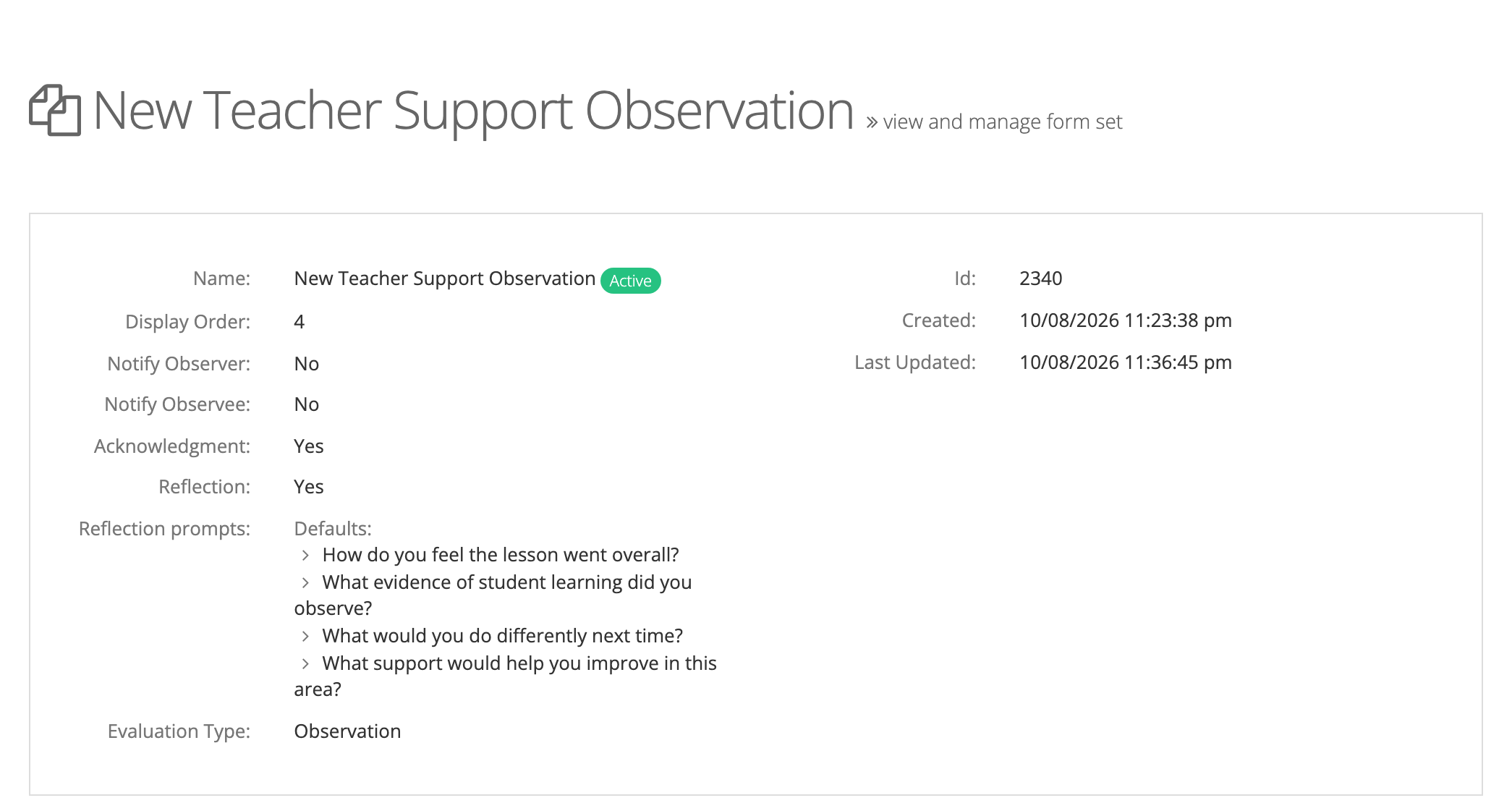
System administrators can view Form Sets. Changing these settings takes a user with the Publisher role or your account team.
Magic-link access is a separate, account-wide switch: Allow magic link access? on the Observe Settings page, which a system administrator manages.
For the full feature background, see Release Notes: Teacher Reflection & Acknowledgment.