

Forms & Rubrics
Adding Forms to Form Sets
Attach forms to a form set, set their order and whether they count toward the score, and unlink them.
A form set shows observers the forms attached to it, in the order you set. You might attach one long rubric form to a formal evaluation, or a short look-for form to a walkthrough.
Requires the Publisher or system administrator role, and content creation turned on for your district. See Form Sets Overview.
Attach a form
Section titled “Attach a form”- Go to System Administration > Form Sets and click the form set’s name.
- On the Forms tab, click Attach.
- In the Attach Form window, choose the form from the Form list.
- Enter a Display order. Forms appear to observers in this order, lowest first.
- Leave Include score? on if the form’s points count toward the form set’s score. Turn it off for a form that collects notes or context only.
- Click Save.
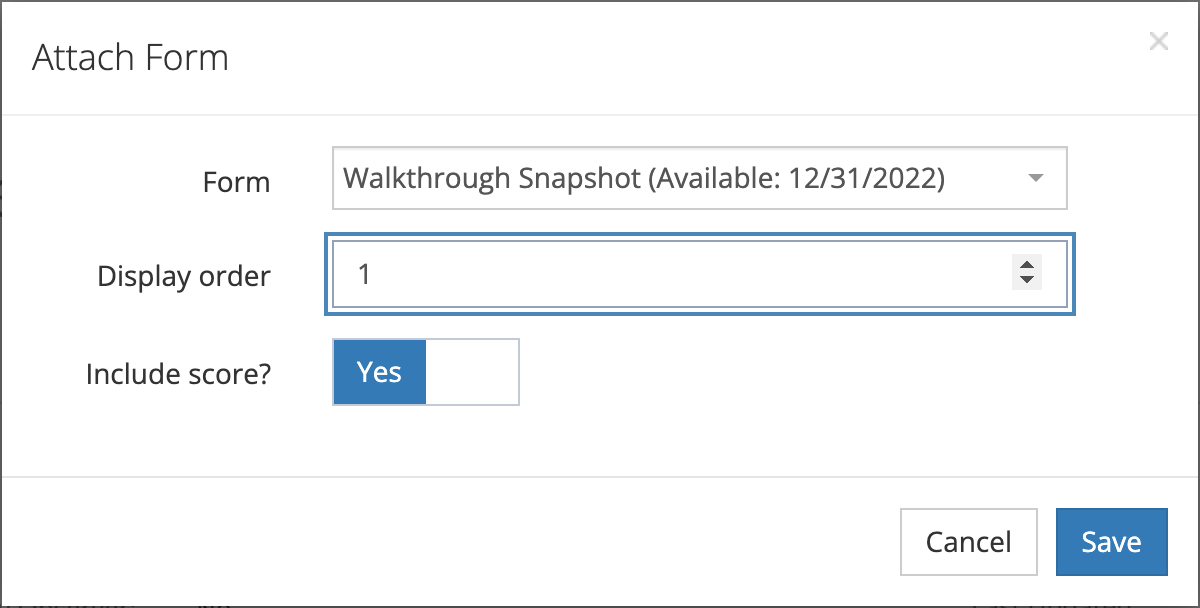
The Form list shows forms licensed to your district’s schools that are not yet in this form set. If the list is empty, the window says to create forms or talk to your administrator. If a form you expect is missing, contact your account provider.
The Forms tab
Section titled “The Forms tab”Each attached form shows its Id, Name, Display Order, Include Score, and Status. Status is Active while the form’s license is current. Click Filter to show active forms, inactive forms, or both.
Change a form’s order or scoring
Section titled “Change a form’s order or scoring”- On the Forms tab, click the … menu on the form’s row.
- Click Edit.
- Change Display order or Include score?.
- Click Save.
Unlink a form
Section titled “Unlink a form”- On the Forms tab, click the … menu on the form’s row.
- Click Unlink.
- In the confirmation window, click Remove.
Unlinking removes the form from this form set only. The form itself is not deleted and stays in any other form sets that use it. The window warns that unlinking removes the form’s questions from the form set, so results recorded on that form are no longer viewable. The results are not deleted.
How forms are scored together
Section titled “How forms are scored together”A form counts toward the form set’s score when Include score? is on and the form has at least one scored question (see Adding Questions and Configuring Scoring). When a form set has more than one scored form, the form set score is the average of the scored forms the observer answered.
Inside each form, you can weight sections and questions. See Building Forms and Sections.
Make a form set available to schools
Section titled “Make a form set available to schools”A form set appears at a school when at least one of its forms is assigned to that school. Assign forms from the school’s Forms tab. See Preparing a School for Observations.