

What's New
What's New: Directory Sync with Microsoft Entra ID
Published
Your staff list, kept in step by your directory
Section titled “Your staff list, kept in step by your directory”Connect your district’s Microsoft Entra ID and Master Teacher follows it: new staff get accounts, people who leave are archived with their history kept, and Entra groups decide roles and buildings.
Why it helps
Section titled “Why it helps”At the start of every school year, someone re-enters new hires, moves people between buildings, and archives the staff who left. Miss one and a new teacher can’t be observed, or a departed principal can still sign in.
Your district already keeps this list in Entra. Directory Sync lets Master Teacher read it instead of asking you to keep a second copy.
What you can do
Section titled “What you can do”- Connect Entra in about 30 minutes with your IT administrator.
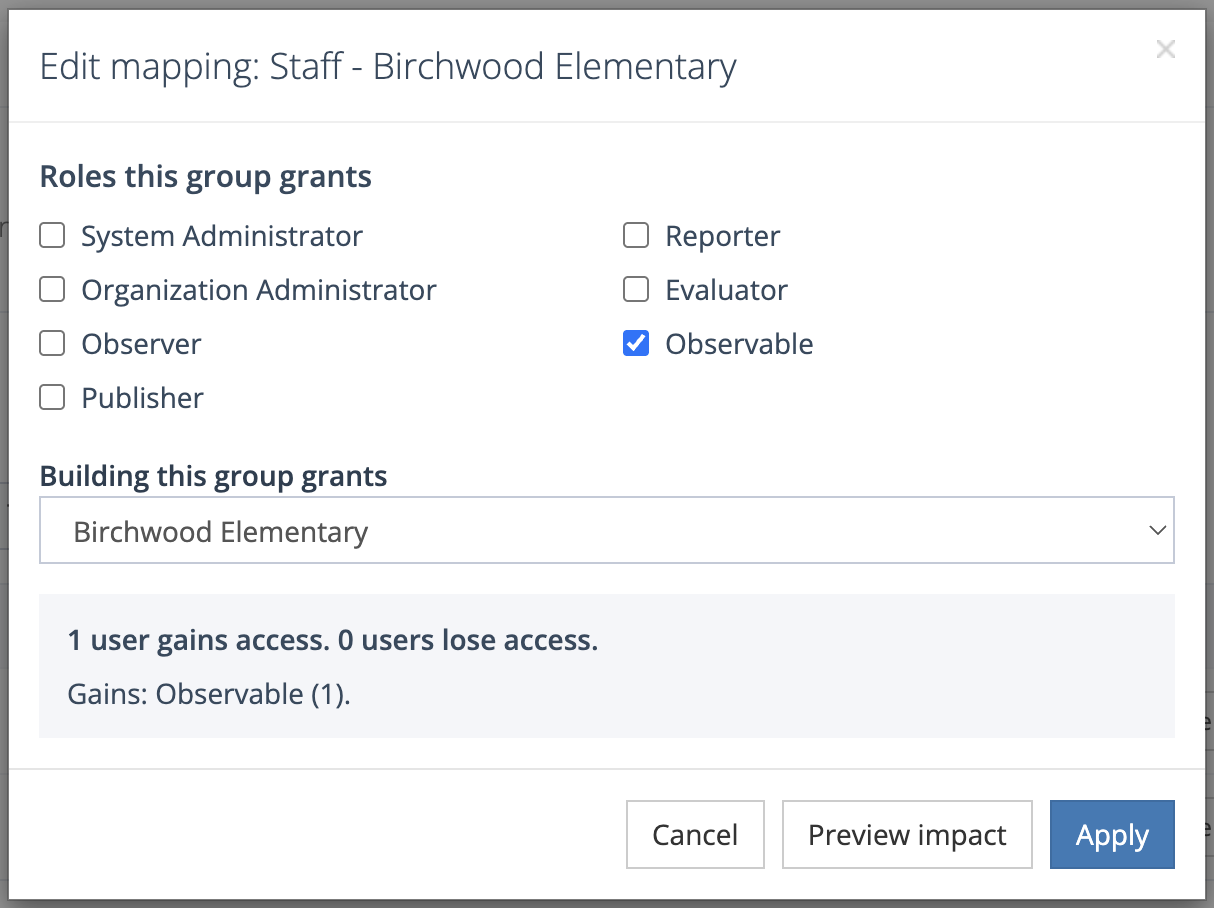
- Map Entra groups to roles and buildings, and preview who gains and loses access before you apply a change.
- Place people by Department or Office location when your district doesn’t keep building groups.
- Keep control of what the directory doesn’t grant. Roles and buildings no group grants stay yours to assign.
- Approve System Administrator grants before anyone gets them.
- See every change Entra made in Recent activity.
Good to know
Section titled “Good to know”Entra sends changes about every 40 minutes. If one change would take access from many people at once, Master Teacher holds it for you to review instead of applying it.
Where to find it
Section titled “Where to find it”Go to Directory Sync in the side menu. You need the system administrator role, and your account representative turns Directory Sync on for your district.
For the full walkthrough, see Directory Sync with Microsoft Entra ID.