

Reseller Notes
Reseller Notes: The Reopen Button Returns to the Mobile App
The mobile app now lets observers and evaluators reopen an observation again, matching the web fix. What to tell districts, and why coaches need to update the app.
Published
What happened
Section titled “What happened”In June, a release accidentally narrowed who is allowed to reopen an observation to administrators only. The web portal was fixed first (see Observers Can Reopen Observations Again).
The weCLIMB mobile app had the same problem, and it needed its own fix. The app decides on its own whether to show the Reopen button, so fixing the web portal did not bring the button back on phones. This update does.
Coaches have to update the app to get it. Unlike the web fix, which reached everyone the moment it was released, an app fix only arrives when the phone installs the new version from the App Store or Google Play.
Who this affected
Section titled “Who this affected”Anyone set up as an Observer or an Evaluator who is not also an administrator, and who uses the mobile app. Coaches are the most common case, because many districts keep coaches out of the administrator roles on purpose.
Administrators never lost the button, in the app or on the web.
What they were seeing
Section titled “What they were seeing”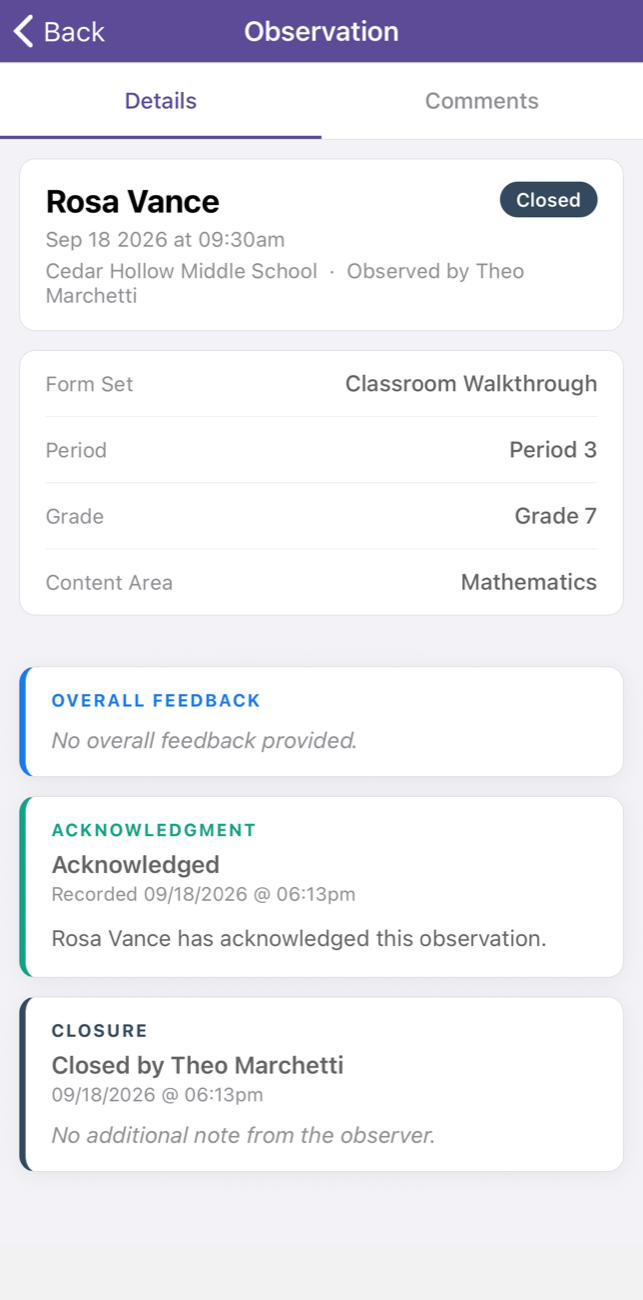
This is an observer looking at an observation he closed himself. The Closure card at the bottom says so. The header at the top has Back and nothing else. There was no way back in from the phone.
What they see now
Section titled “What they see now”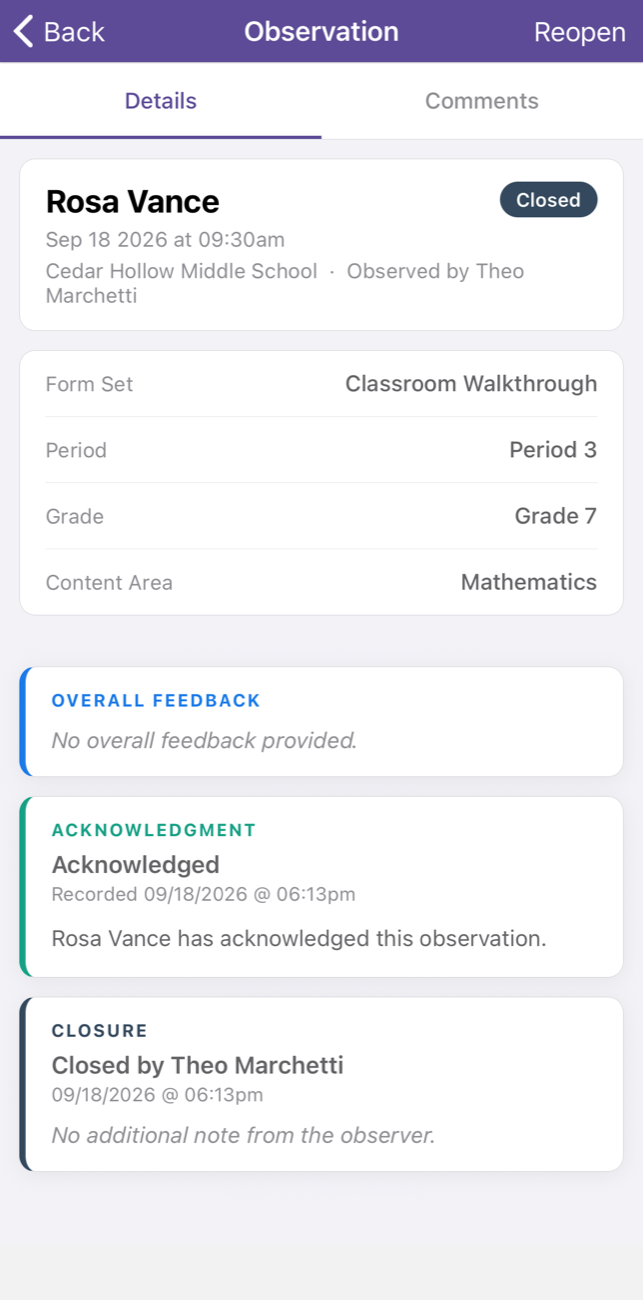
Reopen is back in the top right of the header, where it was before June.
Reopening still asks for a reason
Section titled “Reopening still asks for a reason”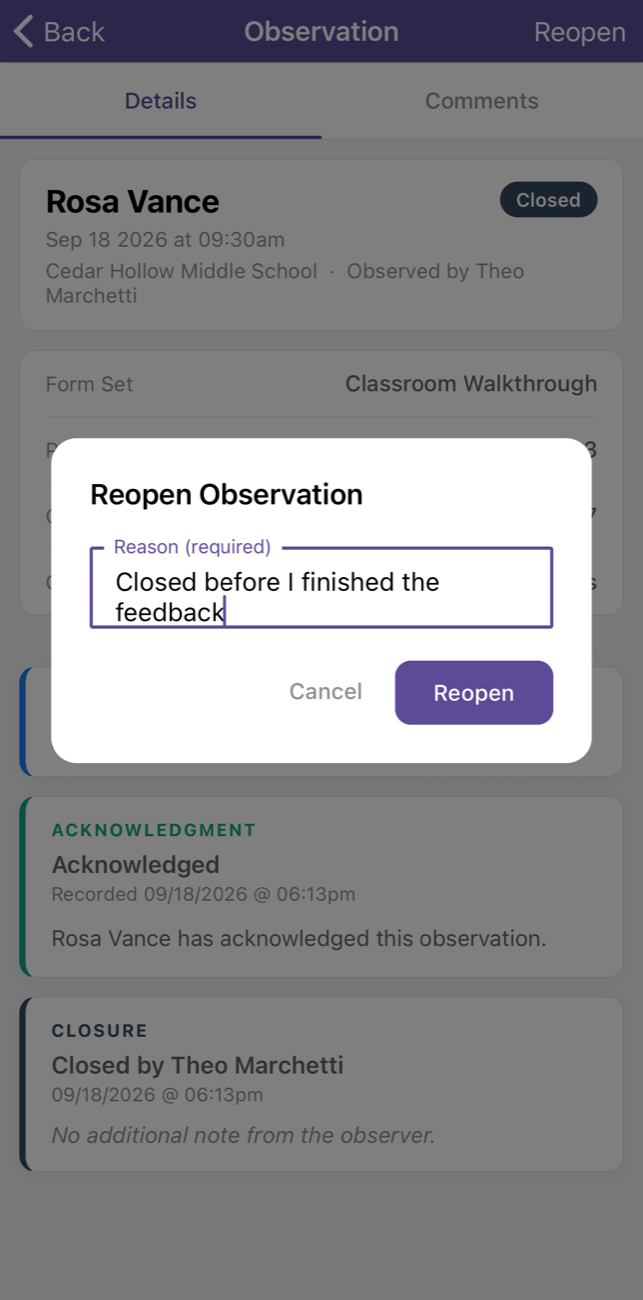
This part has not changed and is the same as on the web. Tapping Reopen asks for a written reason, and the button stays greyed out until one is typed. The reopen is recorded permanently with the person’s name, the time, and their note. An observer reopening their own work leaves the same trail an administrator would.
Back in
Section titled “Back in”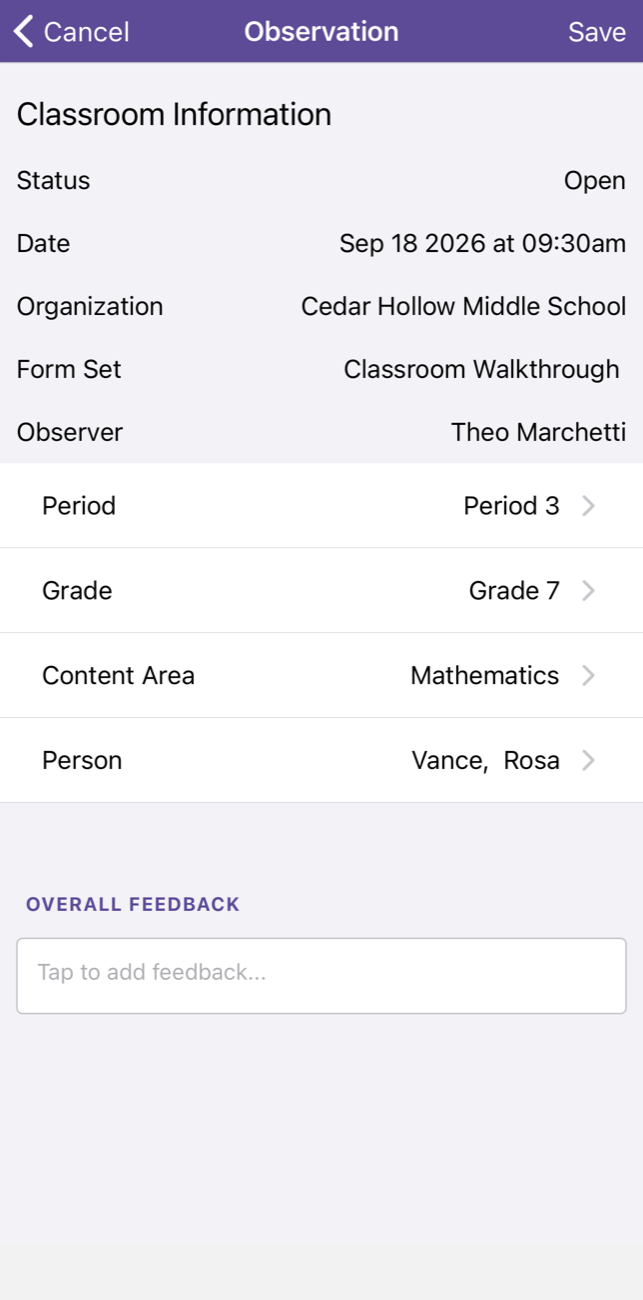
After confirming, the app opens the observation for editing right away, with its status back to Open. The coach can finish what they were writing and submit again.
What did not change
Section titled “What did not change”- Teachers still cannot reopen. Only Observers, Evaluators, and administrators can.
- Administrators are unaffected. They could reopen throughout and still can.
- The written reason is still required, and every reopen is on the record.
- Nothing to turn on. No new setting and no configuration step.
- The web portal is unchanged by this. It was fixed separately and already works.
If a district asks
Section titled “If a district asks”| They say | You can say |
|---|---|
| ”The web portal is fixed, but our coaches still don’t see Reopen in the app.” | The app needed its own fix, and it is in the latest version. Ask the coach to update the app from the App Store or Google Play. |
| ”How do we know the coach has the new version?” | In the app, open the menu in the top left and tap About. The version is shown there. If it is older than the version in the store, update the app. |
| ”Can they reopen from somewhere else in the meantime?” | Yes. The web portal already works. Sign in there, open the observation, and use Reopen. |
| ”Do we need to make our coaches administrators?” | No. Please don’t. Observers and Evaluators can reopen again, in the app and on the web. |
| ”Does letting observers reopen weaken our audit record?” | No. Reopening still requires a written reason, and every reopen is recorded permanently with the person’s name and the time. |
| ”Can a teacher reopen their own observation?” | No. That has never been possible and has not changed. |